

Audience Guide: your real-time media planner.
When creating an AudioGo campaign, one of the first things you'll be greeted with is our Audience Guide. It forecasts the number of impressions and listeners you can expect based on the budget and targeting you select.
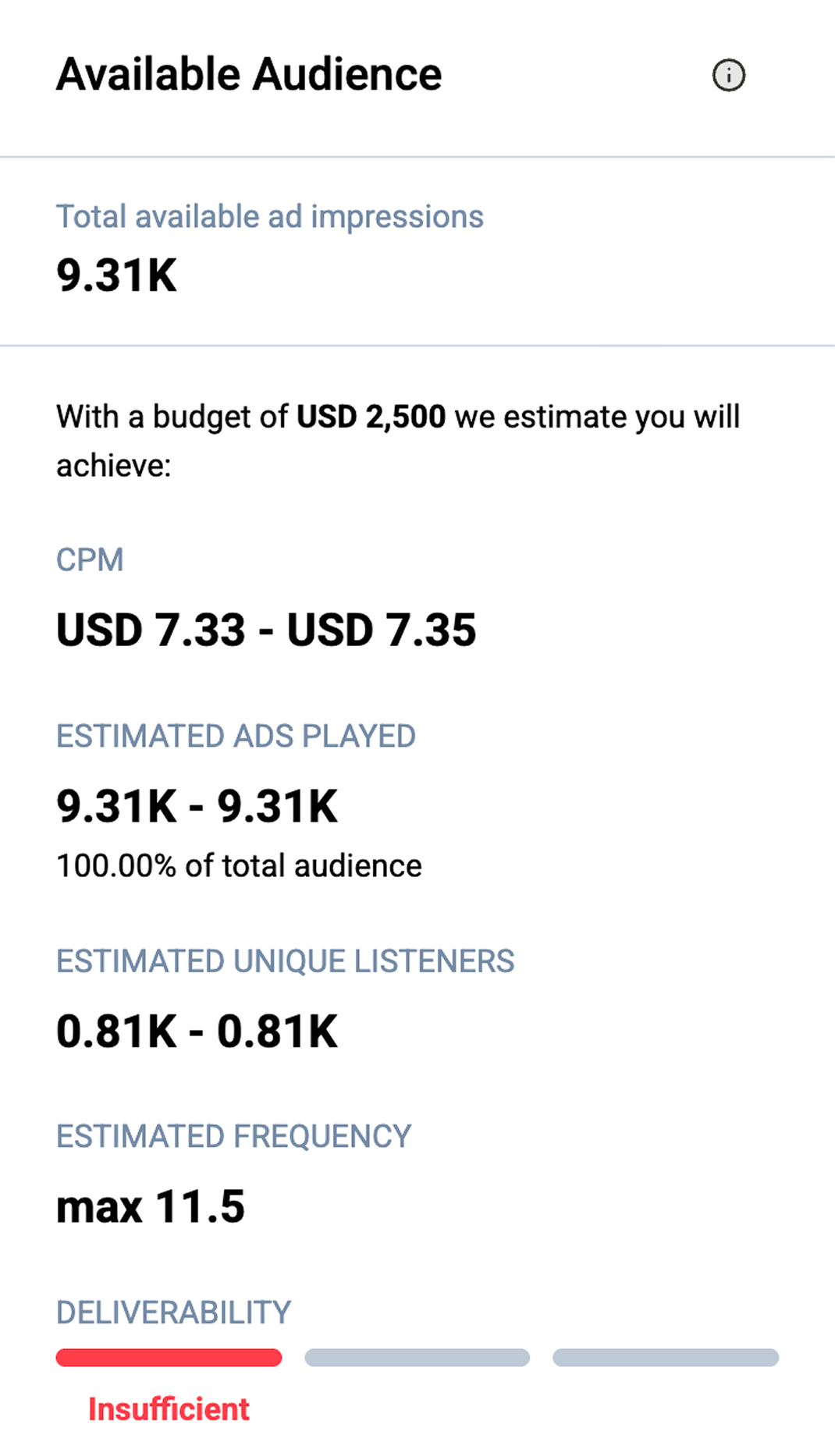
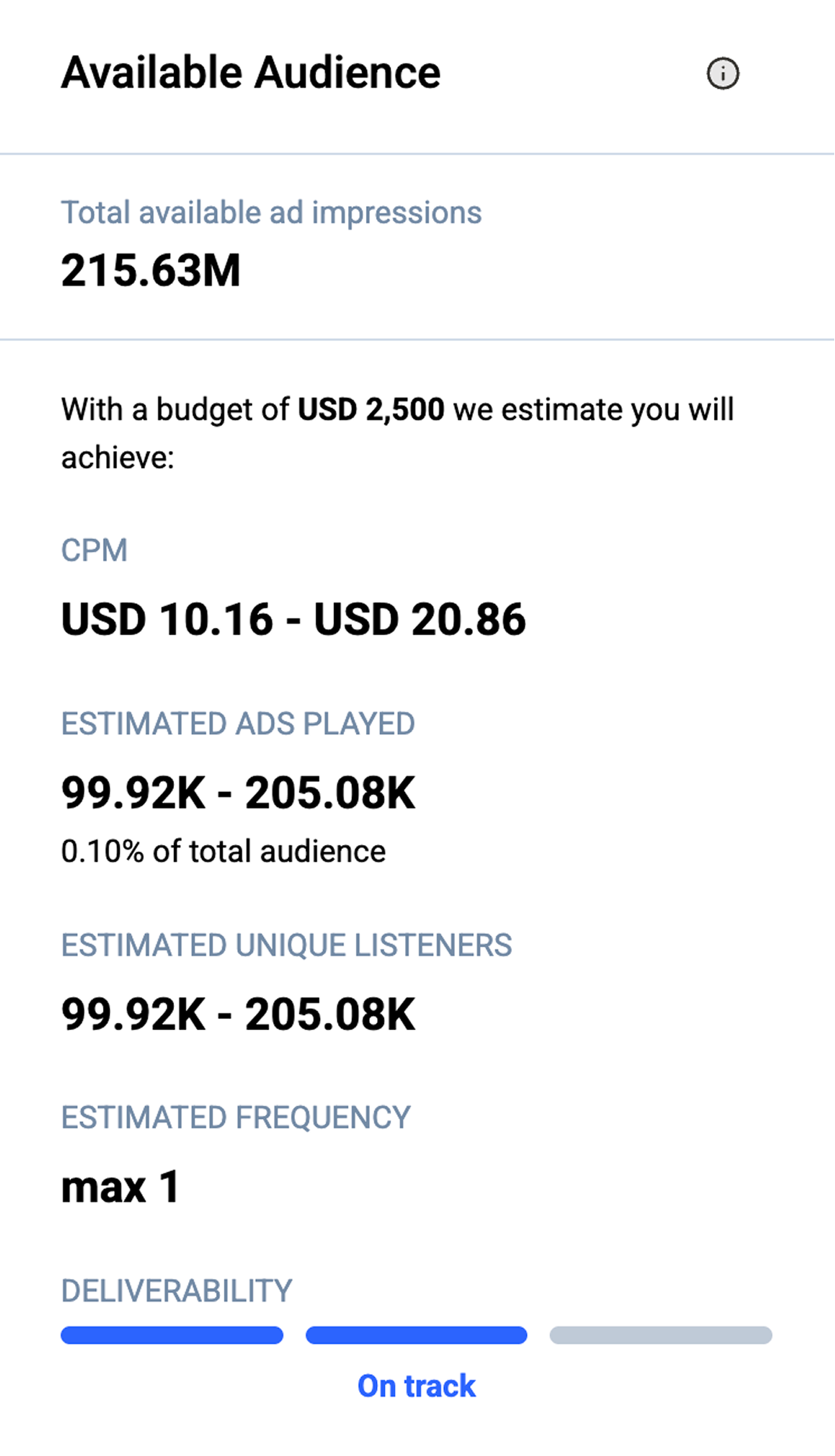
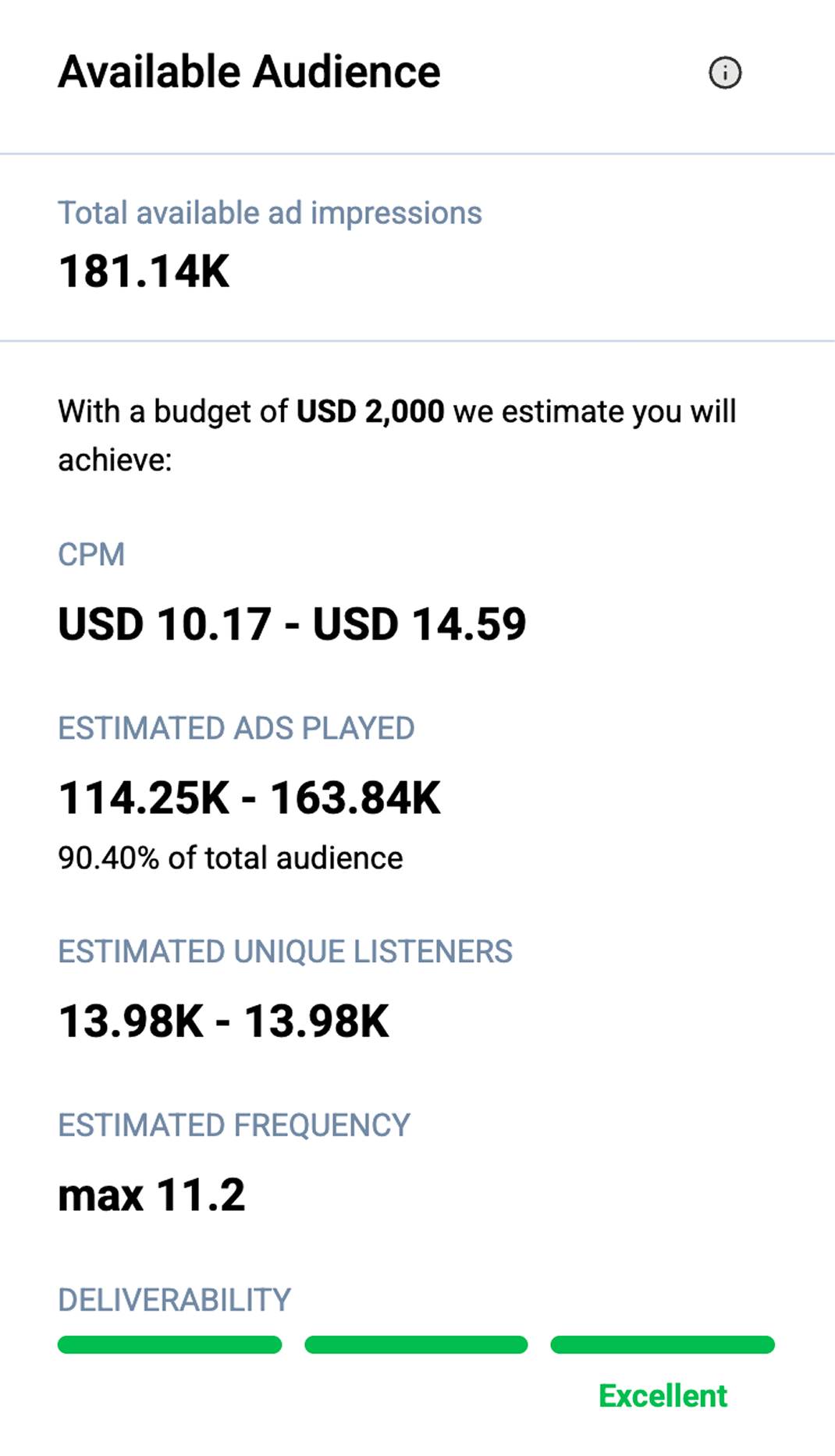
The deliverability gauge
And with 1,000+ targeting options at your fingertips, it can be all too easy to get too narrow or too broad with your selections.
So to ensure your campaigns always strike the right note, our deliverability gauge is there to help you weigh the optimal balance for your budget, your audience targeting, your ad reach, and your campaign goals.
Reading your gauge? Here's how to tune it.
The deliverability gauge tells you whether your audience is too broad, too narrow, or just right. When it's not quite there, here's where to start.
Deliverability looking too narrow?
You're trying to reach a small slice of the audioverse for your budget and schedule. Open it up:
- Add additional location and/or behavioral segments
- Lengthen the schedule of the campaign
Deliverability looking too broad?
Your reach is wide but spread thin. Sharpen it up so your budget works harder:
- Narrow your targeting with city or zip code targeting
- Consider increasing your budget
- Use our other targeting options
Three signals to plan a campaign that delivers.
And with 1,000+ targeting options at your fingertips, it can be all too easy to get too narrow or too broad with your selections.
Budget
AudioGo transacts through real-time programmatic bidding. Our platform is optimized to ensure priority placements at the lowest achievable price.
Reach
Based on your budget and targeting inputs, we can estimate your CPMs, impressions (ad plays), unique listeners, and how many times each listener will hear your ad (frequency).
Deliverability
Based on your budget and targeting inputs, we can also determine whether your audience is too broad, too narrow, or just right.
We've refreshed the Audience Guide to give you clearer, more transparent forecasts when planning your campaigns. You'll now see ranges for impressions, reach, and CPM, offering a more realistic view of expected performance based on historical data.
Nothing about how your campaigns run has changed — these updates simply make planning easier and more informative.
Frequently asked questions
You've got questions. We have answers.

Help us spread the word
Loading...
Help us spread the word
Loading...