
First Things First, Create a Brief
The biggest difference between an ad that performs and one that fades into the background is a little planning up front. Spend 5 minutes thinking it through, and it will pay off in a big way.
Your Campaign Brief
| Field | Your Answer |
|---|---|
| Brand/Business Name | |
| What are you advertising? | Product, service, event, or offer |
| What's the goal? | Drive website visits, promote a sale, build awareness, etc. |
| Who are you talking to? | Age, interests, location, lifestyle |
| What's your one key message? | If the listener remembers one thing, what should it be? |
| What do you want them to do? | Your CTA — a URL, phone number, or location |
| What's the tone? | Energetic, authoritative, friendly, informative, or youthful |
| Podcast or Streaming? | Podcast = no music / Streaming = background music included |
| English or Spanish? | |
| Is this time-sensitive? | Holiday, seasonal promo, limited-time offer? |
| Your script draft | Write it here before entering the platform |
What is a Synthetic Voice?
We built Synthetic Voice to remove every barrier that used to stand between a small business and a great-sounding audio ad. It's completely free, it lives right inside your AudioGo campaign dashboard, and it delivers a finished 30-second ad in seconds.
Here's the thing people are usually surprised by: the voices are genuinely good. High quality, natural-sounding, and persuasive. One of our customers, PSSI, put it this way: "The voices sound just like a human-read ad. The tool is easy to use, and it helps us create campaigns in minutes." That's exactly what we set out to build.
Synthetic Voice or Produced Voice — Which Is Right for You?
A lot of our customers use both depending on the campaign. Here's how we'd think about it:
| Synthetic Voice | Produced Voice | |
|---|---|---|
| Cost | Free | $10 |
| Turnaround | Seconds | Under 48 hours |
| Voices | 14 English, 3 Spanish (AI) | Human voice actor |
| Revisions | Unlimited, instant | Flexible revisions |
| Best for | Speed, testing, seasonal swaps | Maximum polish, human warmth |
If you're running a seasonal promotion, trying out a new message, or just need something live today — Synthetic Voice is your friend. If you want that extra layer of warmth that only a real human voice brings, go with Produced. Either way, both options produce professional-sounding ads and live inside the same workflow on AudioGo.
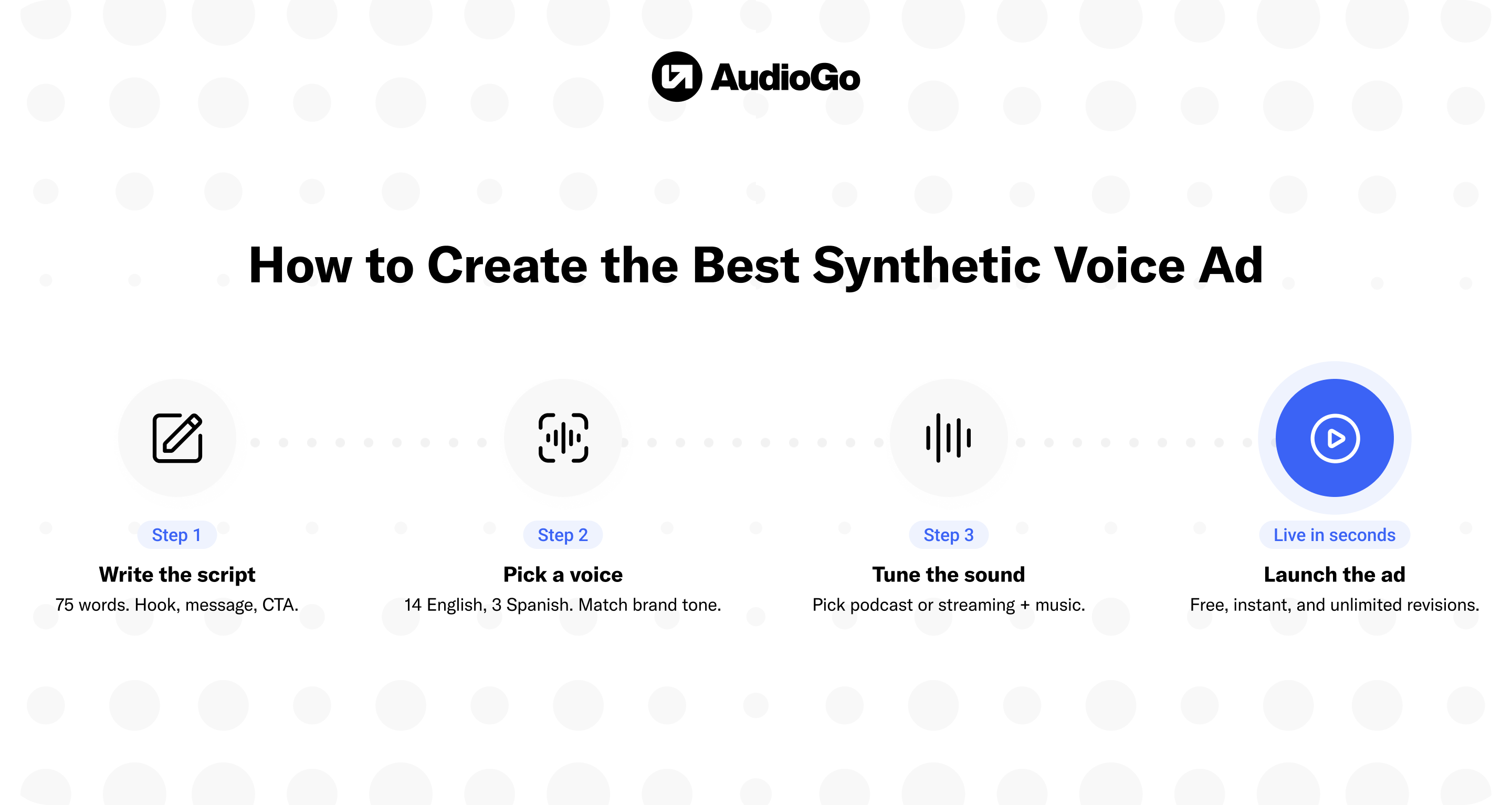
Step 1: Write Your Script
This is the most important thing we'll tell you in this guide: the voice doesn't make the ad. The script does.
A 30-second spot is roughly 70–80 words. That's not a lot of room, so every word has to earn its place. Here's the structure we recommend:
Seconds 0–5 — The Hook
You have about one sentence to grab the listener. Lead with the offer, the problem you solve, or a bold statement. Don't warm up — get straight to it.
Seconds 5–22 — The Message
What do you offer, and why should this listener care? Two or three short sentences. Focus on the benefit to them, not the features of your product.
Seconds 22–30 — The Call to Action
Tell them exactly what to do. Say the URL or phone number clearly and at a pace they can actually register. This is the last thing they'll hear, so make it stick.
A few things we've learned from watching a lot of ads get made:
Write the way people talk, not the way people write. Read your script out loud before you enter it into the platform — if it sounds stiff when you say it, it'll sound stiff when the voice reads it too.
Spell out your URL the way you'd say it. Write "mysite dot com" instead of "mysite.com" so the AI reads it naturally. Same for phone numbers — write them out with pauses if needed.
Keep sentences short. Long sentences lose listeners in audio. If you need to take a breath in the middle of reading it, break it into two sentences.
Step 2: Pick Your Voice
We offer 14 English voices and 3 Spanish voices, and each one has a distinct personality. All of them use a promotional style — meaning they're paced to feel energetic and persuasive, which is exactly what you want in an audio ad.
Here's a breakdown to help you find the right fit:
English Voices
| Personality | Voices | Best For |
|---|---|---|
| Authoritative | Ava M., Paul B. | Finance, law, professional services — anything that needs to sound credible and commanding |
| Confident | Ben D., Jarvis H., Owen C. | Retail, fitness, competitive offers — anything where you want to project strength |
| Energetic | Selene R. | Sales events, limited-time offers, high-energy brands — anything where urgency matters |
| Familiar | Eric S., Paula R. | Local businesses, community-based brands — anything that benefits from a warm "neighbor" tone |
| Friendly | Charlie Z. | Consumer brands, lifestyle products — anything where approachability is the goal |
| Informative | Kai M., Philip J., Shelby D., Tobin A. | Tech, healthcare, education — any product that needs clear, credible explanation |
| Youthful | Tilda C. | Gen Z audiences, entertainment, fashion — anything skewing younger |
Spanish Voices
Jessica V., Jose E., and Jimena S. — great for reaching Spanish-speaking audiences with a native feel.
Tip: Don't just pick based on the description — preview two or three voices on your actual script. The same 75 words can feel completely different depending on who's reading them. Spend a couple of minutes here. It's worth it.
Step 3: Build Your Ad on AudioGo
Here's exactly what to do once you're inside the platform:
- Log in to AudioGo and start a new campaign.
- When you get to the creative step, click "Request Creative."
- In the side panel that opens, select "Synthetic Voice."
- Paste your script into the script field.
- Choose your voice.
- Hit preview and listen all the way through.
- Adjust your script or swap voices as many times as you need — there's no limit.
- When it sounds the way you want it to, save the ad and keep building your campaign.
That's genuinely it. Most people have their first ad done in under ten minutes.
If you need help, we have a Creative Services team to help.
Step 4: Fine-Tune How the Voice Sounds
This is the step a lot of first-timers skip, and it's where the insiders get an edge. The AI voice reads what you write, but it doesn't always interpret the way a human would. A little light editing can make a big difference.
Emphasizing the Right Syllable
If the voice is stressing the wrong syllable in a word, put quotation marks around the syllable it should stress.
Example: "pro"duce → tells the voice to say PROduce (the noun) instead of proDUCE (the verb).
This comes up most with brand names, product names, or any word with an unusual or ambiguous pronunciation. It also helps with words that carry emotional weight — if you want "FREE" to feel like it's getting a little extra punch, this is how you do it.
Other Tuning Tricks
Use commas and periods intentionally. A comma tells the voice to pause briefly. A period tells it to pause longer. These are your pacing tools — use them to create rhythm and let important lines land before moving on.
If a word keeps getting mispronounced, spell it out phonetically in the script. The voice reads what it sees.
Step 5: Choose Podcast or Streaming
We want to make sure you're set up for the right listening environment.
Streaming Ad
If you choose streaming, your ad will run across music streaming platforms and come with the option to add background music — at no extra charge. We have 10+ royalty-free tracks to choose from, and we'd recommend picking one that matches either your target music genre or your brand's overall energy. A little background music can go a long way in making a synthetic voice ad feel polished and produced.
Podcast Ad
If you choose podcast, there's no background music — just the voice. That's actually a feature, not a limitation. Podcast listeners are used to host-read ads with no music bed, and that format feels native to the environment. If your message benefits from feeling like a personal recommendation rather than a produced spot, podcast is your format.
Not sure which to choose? Think about where your audience is and what they're doing when they're likely to hear your ad. If they're vibing to music, match that energy. If they're deep into a podcast, keep it clean and conversational.
Step 6: Set Up Your Targeting (Don't Skip This)
Here's something we always want our customers to know: an excellent ad aimed at the wrong audience is still a missed opportunity. Your targeting is just as important as your creative.
Inside AudioGo's Audience Guide, you can define your audience by:
- Age and gender
- Time of day
- Geographic location
- Music or podcast genre
- 200+ interest and lifestyle categories
Take the tone and audience notes from your brief and translate them into your targeting settings. If you wrote "25–35 year old fitness enthusiasts in Austin," that's exactly what you can build. Also, see our targeting options.
Step 7: Watch Your Performance and Don't Be Afraid to Iterate
One of the best things about Synthetic Voice is that because it's free and instant, you can run multiple versions of your ad and actually learn what works. We see the best-performing advertisers on AudioGo treat their first ad as a starting point, not a final product.
Once your campaign is live, AudioGo gives you up-to-the-minute analytics and live performance data. Watch what's happening and ask yourself: Is the message resonating? Is the voice right for this audience? Is the CTA driving action? If something feels off, go back in, make a new version with a different script or voice, and test it.
This is the real advantage of Synthetic Voice — it turns audio advertising into an iterative process the way digital advertising has always been.
Insider Bonus: Check the Ad Inspiration Page
Before you finalize your script, take a look at AudioGo's Ad Inspiration page. It's one of our favorite features and one that not enough advertisers take advantage of.
It shows you top-performing ads with real campaigns that actually worked, and for each one you can see the exact script, the targeting criteria, and the performance data. Search by industry and campaign type to find examples closest to what you're building.
It's not about copying. It's about understanding what structure, tone, and message approach has proven to resonate with audio audiences like yours. Consider it your creative research step.
Your Pre-Launch Checklist
Before you go live, run through this:
☐ Brief filled out: goal, audience, key message, and CTA are clear
☐ Script is ~70–80 words, written conversationally, CTA at the end
☐ Script read aloud: sounds natural, no awkward phrasing
☐ URLs and phone numbers written out phonetically
☐ Syllable emphasis added where needed (quotation marks around the stressed syllable)
☐ Voice previewed and selected: matches brand tone and audience
☐ Format chosen: Podcast or Streaming
☐ Background music selected if Streaming
☐ Ad previewed start to finish and approved
☐ Audience Guide targeting set up
☐ Ad Inspiration page checked for benchmarks
You've got everything you need. Now go make something great — and if you get stuck, we're always here to help.