Audience targeting straight to your customer

AudioGo connects you to your target audience at any time, anywhere.

Reach new customers with precise, advanced targeting options

Location

In the United States, you can target by state, county, city, MSA (metropolitan state area), media geo-target, or zip code. More info

In Canada,: you can target by zip code, city, and CMA (census metropolitan area).

Demographics

Target by gender or age group (18–65+).

Device

Optimize your ad for particular devices—from mobile phones and tablets to PCs and laptops to smart speakers.

Predictive audiences

Choose from over 650 Comscore audience segments that span user’s interests, activities, behaviors, and personas.

Day and time

Choose the day of the week or the time of day.

Behavior

Segment based on 350+ different listener behaviors and interests.

Content genre

Pick where to place your ad from a wide selection of streaming content and podcasts across top publishers like Pandora, SiriusXM, iHeartRadio and more.

Language

Find your right audience based on language.

Ad Positioning

Determine your ad placements within a podcast from any combination of pre-, mid-, and/or post-roll inventory.

Audience Segments

Connect your ads with precise audience segments built from real behavior, interests, and intent data.

Automotive

Drive awareness and sales with listeners in-market for cars, services, or accessories. Reach car shoppers, owners, and enthusiasts with data sourced from trusted automotive partners and real in-market intent.

Employment

Reach listeners based on employment status and job activity. Connect with job seekers, recently hired professionals, and career-focused audiences using verified workforce and intent signals.

Housing

Drive demand with listeners actively moving, renting, or buying. Reach homeowners, renters, and in-market movers with data rooted in real housing and relocation behavior.

Income

Target audiences by household income and purchasing power. Align your message with listeners whose financial profile matches your products and services.

Retargeting

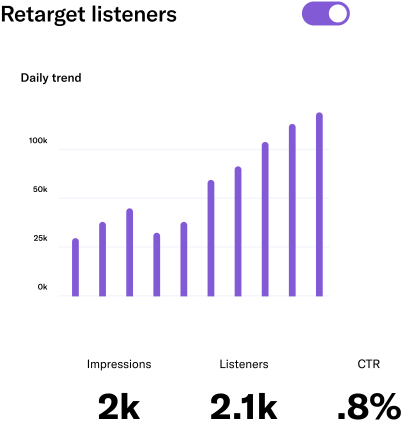
Display retargeting allows you to reconnect with the people who have already listened to your audio ad with a display ad as they browse the internet.

Display retargeting allows you to reconnect with the people who have already listened to your audio ad with a display ad as they browse the Internet.

Broadcast your brand across leading music, radio,
and podcast streaming platforms and networks

Premium publishers Top podcast shows Top radio stations

Advertise on the biggest streaming publishers—all in one place

AudioGo's network of audio publishers lets your business’s message be heard by over 170 million unique listeners in the US and Canada—in English and Spanish.

Browse all publishers

Advertise on popular podcasts

Reach your audience across thousands of top shows from premier publishers. Browse our podcast shows and get your ads live fast with our self-serve platform.

Browse all podcasts

Advertise on major U.S. radio stations

Amplify your brand's message across thousands of local radio stations with hundreds of targeting options and real time reporting - that you can't get with buying direct!

Browse all stations

Frequently asked questions

You’ve got questions. We have answers.

What targeting options are available?
AudioGo offers 1,000+ targeting options across 10 categories: gender, age group, location, device, behavioral segments, predictive audiences, ad positioning, day parting, content genre, and language.
Can I target by location?
Yes — AudioGo lets you target listener location by state, county, city, MSA (metro area), media geo-target, or zip code, with zip code offering the most granular targeting. In Canada, you can target by zip code, city, or CMA.
Can I target by music genre?
Yes — AudioGo offers 20 music genre options, from Top 40 and Country to Classical, Jazz, and Electronic, so your ad reaches listeners already tuned in to content that fits your brand.
Can I advertise on podcasts?

Yes, you can! To advertise on podcasts, it's just a matter of following these three simple steps:

  1. Select 'Podcast' as part of the first step in creating your ad campaign
  2. Proceed to upload or create your podcast audio and display creatives
    Note: podcast ads have no musical background tracks. And unless Retargeting is selected, we will NOT host display banners for your podcast ad campaigns
  3. Then choose your audience targeting among the following three options: 'Predictive Audiences by Comscore', podcast genre topics, and ad position targeting

And when everything is to your liking, go ahead and hit 'Schedule campaign.'

Note: when adding Predictive Audience segments to your campaign, our system will know to target each option you select individually. If using any combination of Predictive Audiences AND genre targeting in your podcast campaign, each segment you pick is added to the other, creating a comprehensive listening audience.

But whichever route you choose, we always recommend you check the Audience Guide to see how your targeting impacts your reach and delivery.

Loading...

Loading...